Connected business systems · Odoo Community
Productivity Tools with Odoo
Keep your team connected, organized and focused on the work that matters.
Apps on this page
App 01 · Odoo Community
 Discuss
Bring every conversation into your workspace. Odoo’s Discuss application connects your team through chat, channels and calls, you can:
- Channels and Direct Messages: Create team channels or chat one-on-one with colleagues.
- Conversations on Every Record: Discuss a quote, a task or an invoice right where the work happens, with mentions and followers.
- Voice and Video Calls: Start a call or share your screen in one click.
- File Sharing: Attach and preview documents in any conversation.
- Email Gateway: Reply to Odoo messages from your mailbox and keep the whole history in one place.
Spend less time switching tools and more time getting work done with Odoo Discuss.

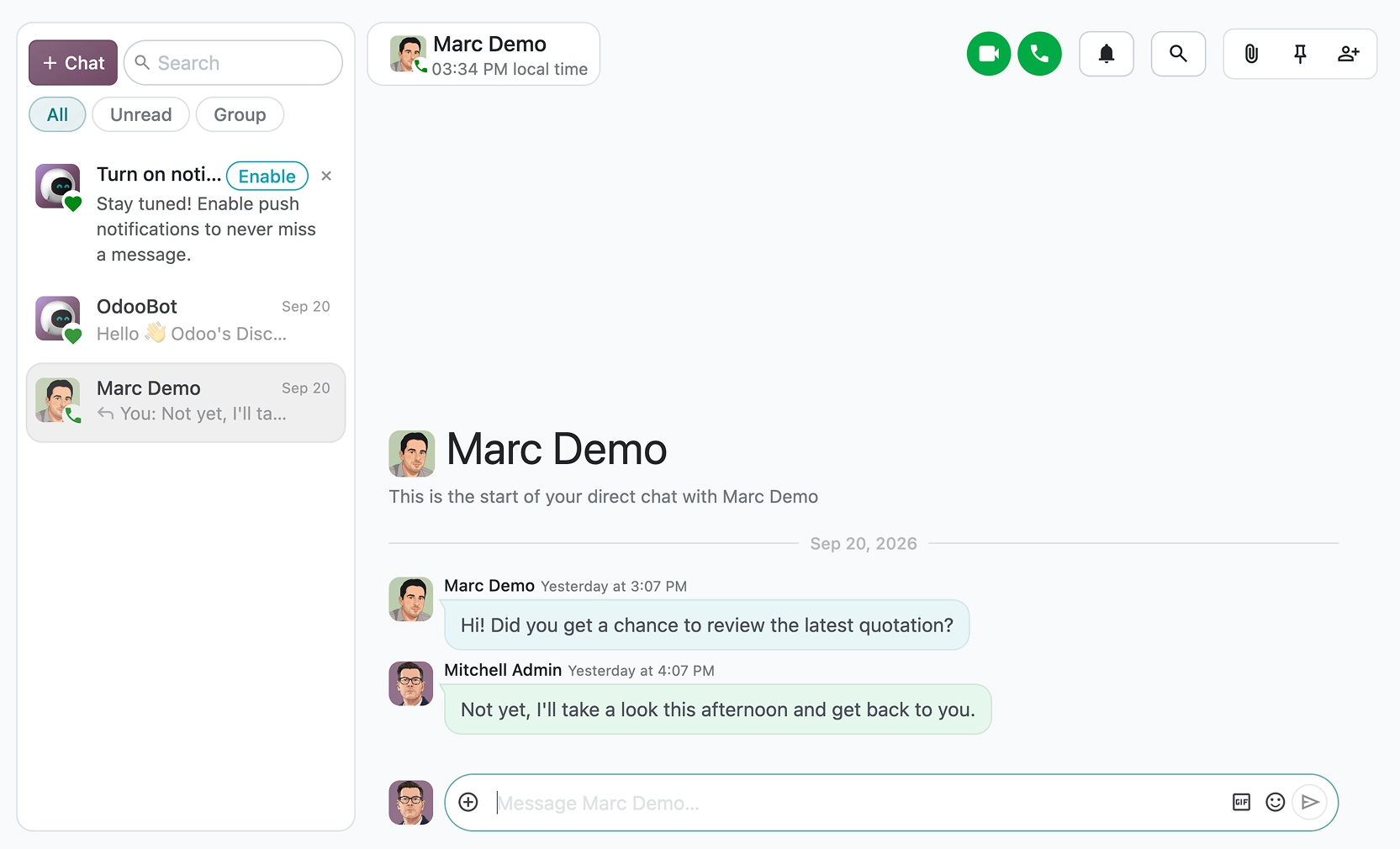
Video call in Odoo Discuss
App 02 · Odoo Community
 Calendar
Plan meetings without the back-and-forth. Odoo’s Calendar application keeps everyone’s schedule in sync. Features include:
- Day, Week, Month and Year Views: See your agenda and your colleagues’ at the level of detail you need.
- Meetings and Invitations: Invite colleagues and contacts, who receive invitations and reminders automatically.
- Google and Outlook Sync: Keep Odoo and your existing calendars aligned.
- Video Meetings: Add a video call link to any event.
- Connected to Your Business: Schedule meetings straight from leads, tasks or applicants.
Make every meeting count with Odoo Calendar.
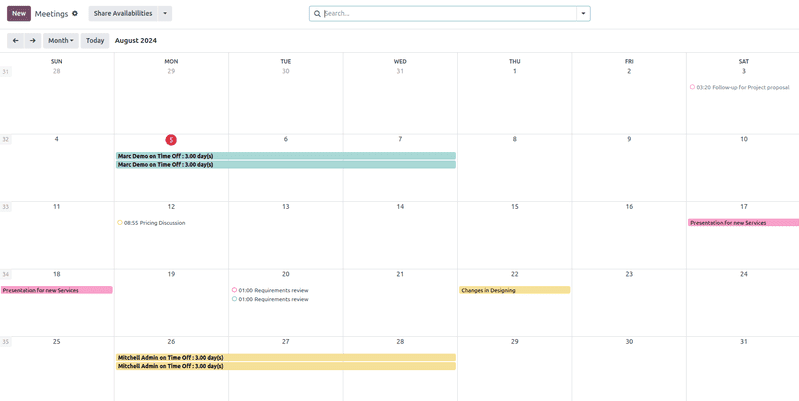
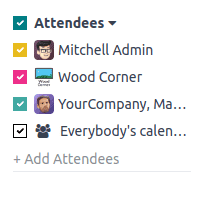
Attendees availability in the calendar
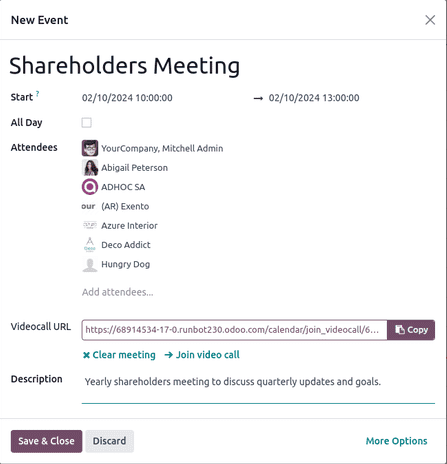
Scheduling an event
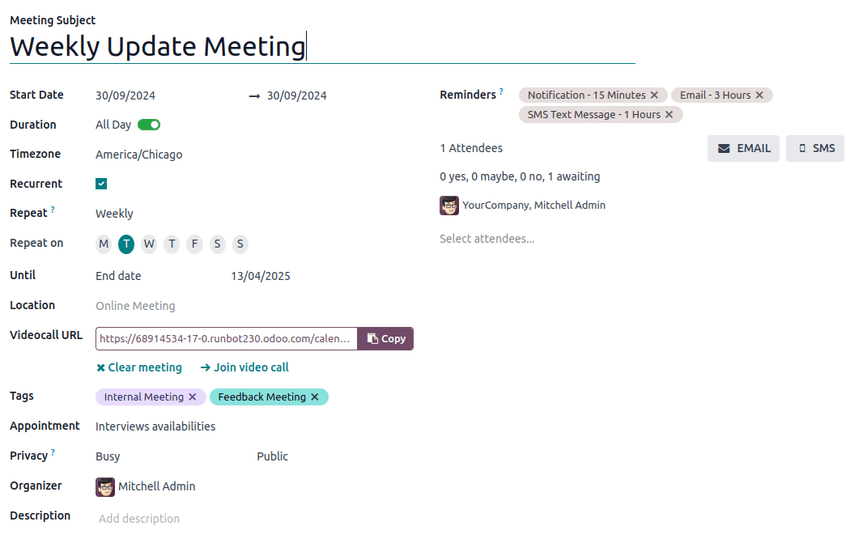
New meeting form
App 03 · Odoo Community
 To-Do (Notes & Tasks)
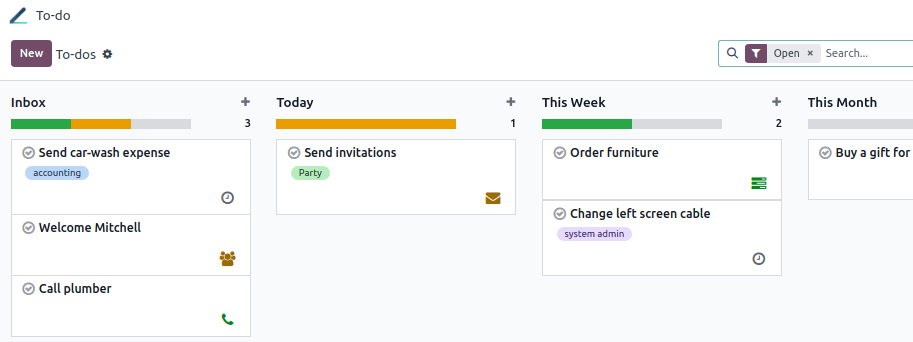
Capture ideas and tasks before they slip away. Odoo’s To-Do application replaces sticky notes with a personal task board you can share:
- Notes and Checklists: Write rich notes with checklists, links and images.
- Personal Stages: Drag and drop your to-dos through your own Kanban stages.
- Share and Assign: Add colleagues as assignees to share a to-do with them.
- Quick Capture: Create a to-do from anywhere in Odoo with a keyboard shortcut.
- Convert to Project Tasks: Turn a to-do into a project task when it grows.
Stay organized every day with Odoo To-Do.
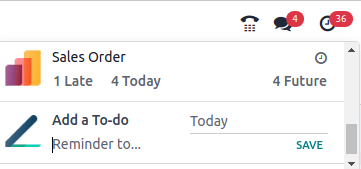
Adding a to-do on the fly
App 04 · Odoo Community
 Contacts
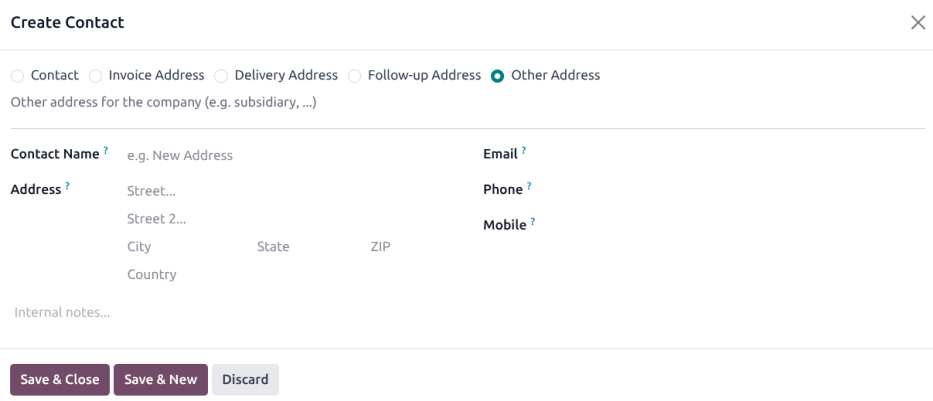
One address book for the whole company. Odoo’s Contacts application is the single source of truth for customers, vendors and partners:
- Companies and Individuals: Link people to the company they work for.
- Multiple Addresses: Store invoice, delivery and other addresses for each contact.
- Tags and Segments: Classify contacts to find and target them easily.
- Complete History: Meetings, emails, quotes and invoices are one click away from each contact.
- Shared Across Apps: CRM, Sales, Invoicing and Purchase all use the same contacts.
Keep every relationship organized with Odoo Contacts.
App 05 · Odoo Community
 Data Recycle
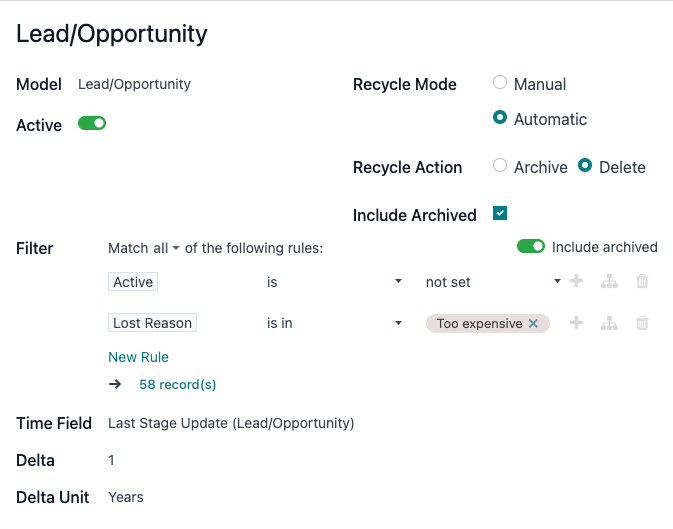
Keep your database clean as it grows, without manual cleanup sessions. Odoo’s Data Recycle application finds outdated records and archives or removes them by rule, you can:
- Recycle Rules: Choose a model and the conditions that define an outdated record, such as old lost leads.
- Time-Based Criteria: Target records by how long ago they were created or last updated.
- Archive or Delete: Decide whether matching records are archived for reference or deleted.
- Manual or Automatic: Review proposed records before acting, or let the rule run on its own.
- Review List: Validate or discard each proposed record from one list.
Keep your Odoo data lean and reliable with Odoo Data Recycle.
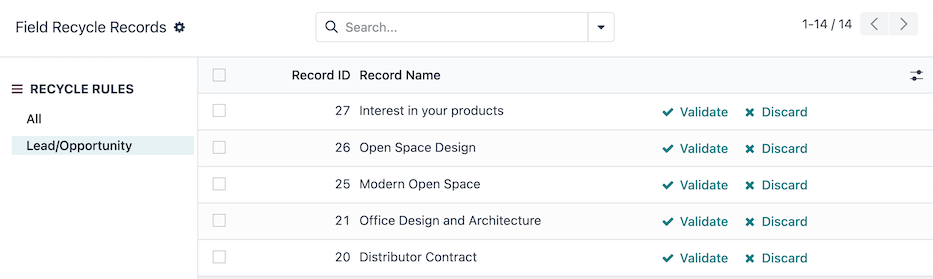
Records proposed for recycling, ready to validate or discard
Next step
Ready to boost your team’s productivity?
Our team plans, configures and supports your Odoo apps so they fit the way you work.
Prefer to talk? 786-258-1088 • info@innovansis.com
Odoo Community applications